


For any other data request, write to support@slideforge.cloud and include the User ID from Settings > Account (tap it to copy). The Privacy Policy lists your rights.
Delete your account
Open Settings, scroll to Account and tap Delete account. Your account is deleted from our servers; decks on the device are not affected.
Steps
Open Settings and scroll to Account.
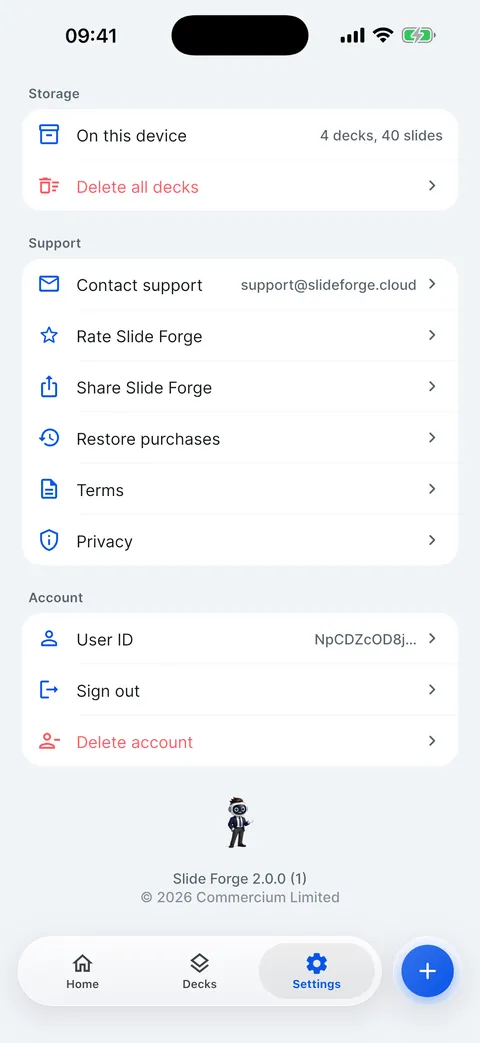

Tap Delete account and confirm. This cannot be undone.
Decks on this device stay. To remove them too, use Settings > Storage > Delete all decks.
A VIP subscription is not cancelled by deleting the account: cancel it in the Settings app (your name > Subscriptions).
Checked on Slide Forge 2.0.0
Was this helpful?
Thank you. That helps us keep the answers right.
Thank you. Tell us what was missing and we will fix the article.Write to support