
Restore your VIP purchase
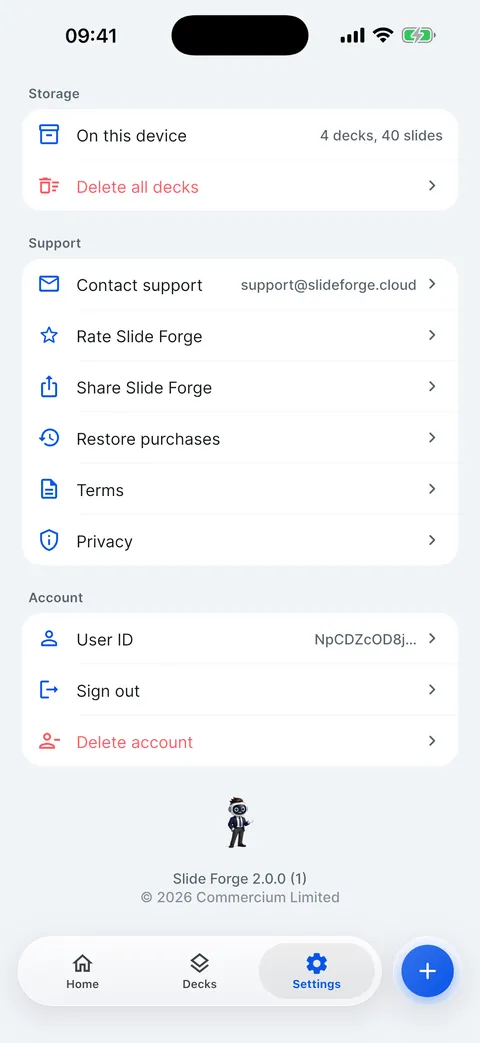
Tap Settings > Restore purchases, or Restore on the paywall. Slide Forge checks the App Store for a VIP purchase on your Apple ID.
Steps
Open Settings, scroll to Support and tap Restore purchases.

If the App Store finds your subscription, you see VIP restored.
If it says No VIP purchase found for this Apple ID., check you are signed in to the App Store with the Apple ID you bought with (Settings app > your name > Media & Purchases).


Checked on Slide Forge 2.0.0
Was this helpful?
Thank you. That helps us keep the answers right.
Thank you. Tell us what was missing and we will fix the article.Write to support