


You can also translate later: open the deck, tap AI, then Translate. See Translate a deck.
Keep or translate an imported deck
An imported deck keeps its original language unless you turn off Keep the original language and pick another one before you create it.
Steps
On the Import and restyle screen, find Keep the original language.
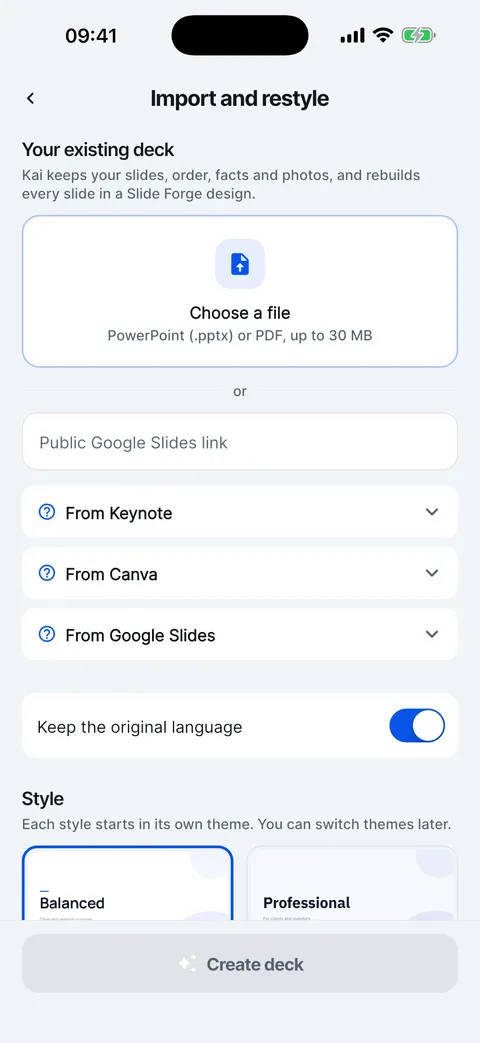
Turn it off to show Translate to, then pick the language the rebuilt deck should be written in.
Tap Create deck.
Checked on Slide Forge 2.0.0
Was this helpful?
Thank you. That helps us keep the answers right.
Thank you. Tell us what was missing and we will fix the article.Write to support