
Take questions and see reactions
During a live presentation your audience can send questions and reactions. Questions collect in the Questions sheet, where you mark them answered.
Steps
Go live. A number on the questions button shows questions you have not answered yet.
Tap the questions button to read them, with the sender’s name if they gave one. Tap Mark answered when you have dealt with one.
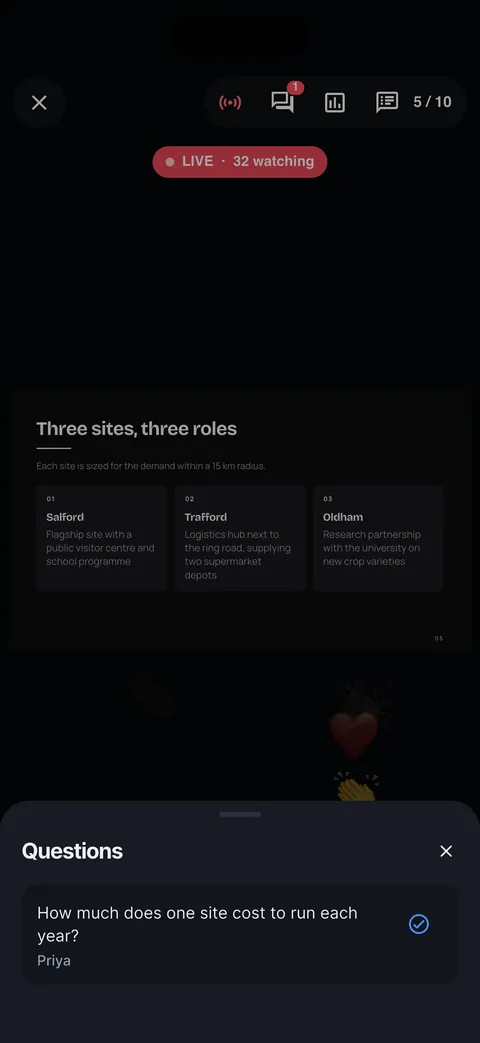

Reactions from the audience float up on your screen as they arrive.


Checked on Slide Forge 2.0.0
Was this helpful?
Thank you. That helps us keep the answers right.
Thank you. Tell us what was missing and we will fix the article.Write to support