


After a poll is closed, the poll sheet shows it as Last poll so you can refer back to it.
Run a poll during a live presentation
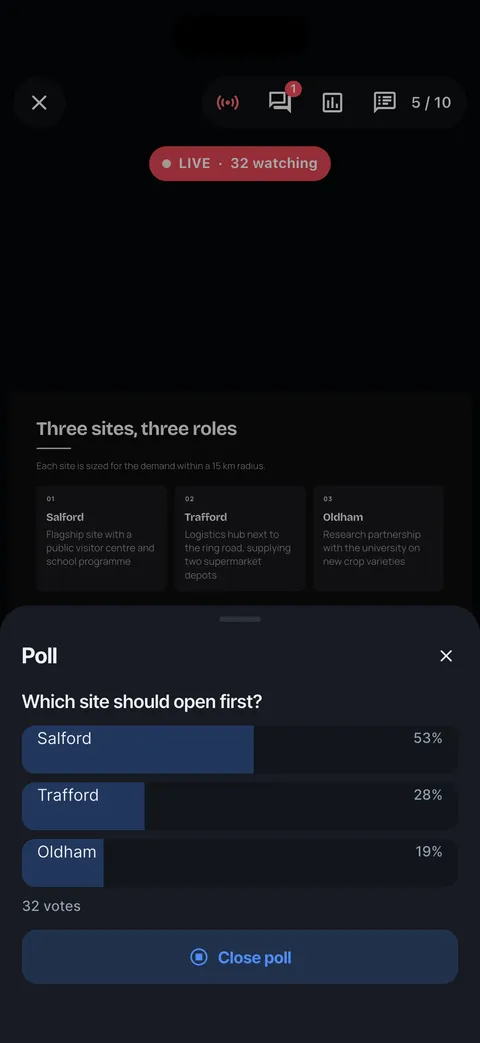
While live, tap the poll button, write a question with up to six options (or use Yes / No or 1-5), and tap Start poll. Results update as people vote.
Steps
Go live first (see Present live).
Tap the poll button at the top of the presenter. Write the question and the options, or tap Yes / No or 1-5 to fill them in.
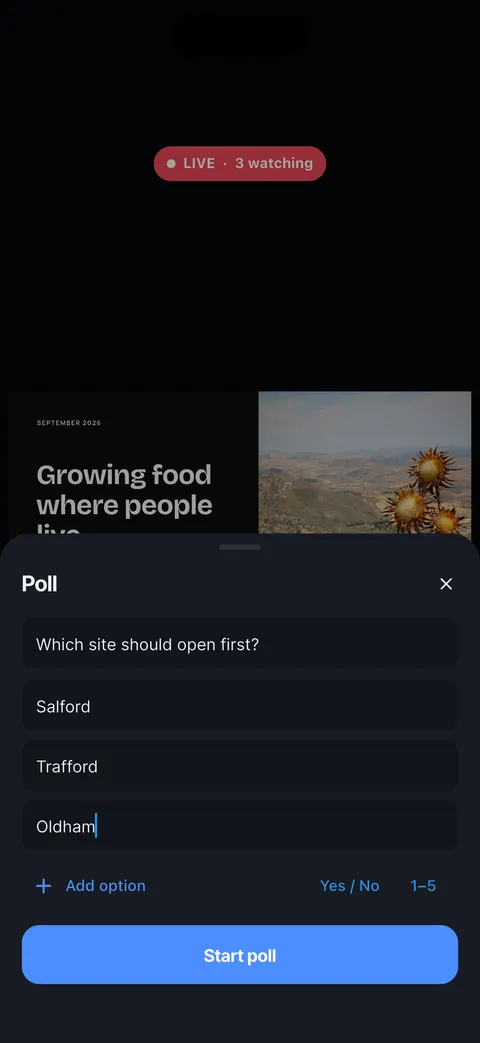

Tap Start poll. Your audience sees the question on their screens and votes with one tap.
Watch the results come in as percentages with the number of votes. Tap Close poll to stop voting.
Checked on Slide Forge 2.0.0
Was this helpful?
Thank you. That helps us keep the answers right.
Thank you. Tell us what was missing and we will fix the article.Write to support