


A VIP subscription belongs to your Apple ID, so it works on every iPhone and iPad signed in with it. If a device does not show VIP, use Restore purchases.
Slide Forge on iPhone and iPad
One app for both. It needs iOS or iPadOS 15 or later, and iCloud keeps your decks in step between your devices.
Steps
Install Slide Forge from the App Store on each device, signed in with the same Apple ID.
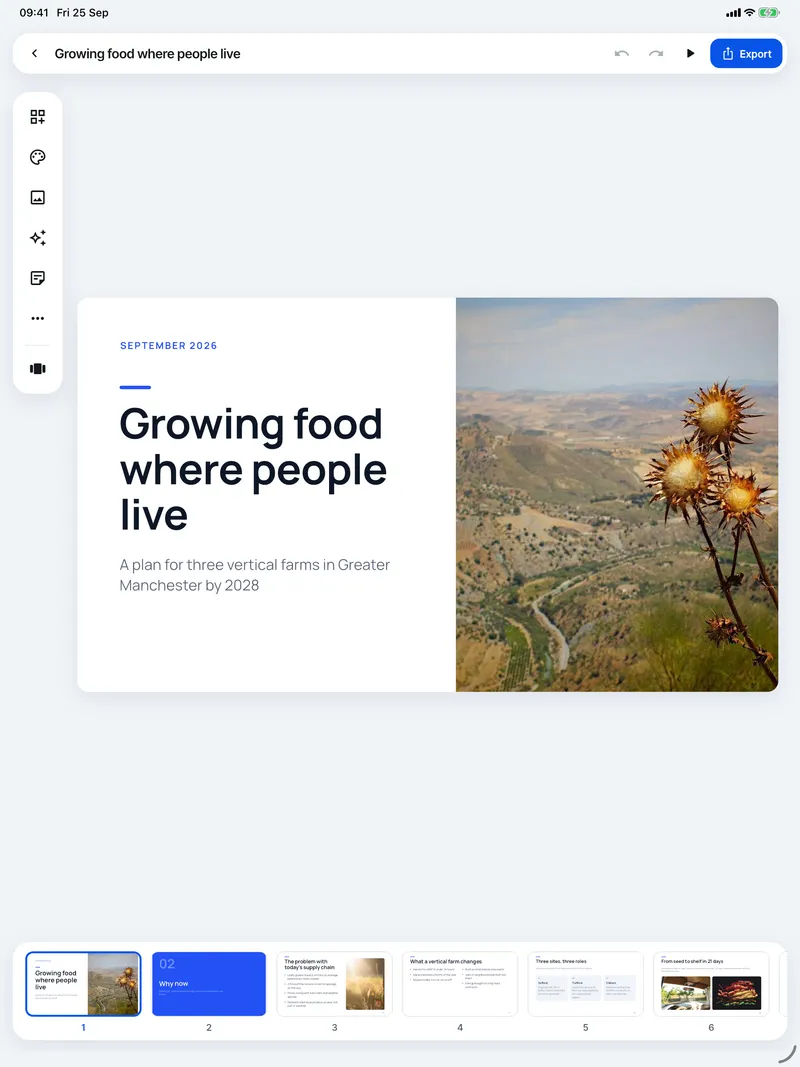
On iPad the editor gives the slide the whole screen, with the tools floating at the side. Foldable iPhones get the iPad editor when unfolded.

Turn on Settings > Sync decks with iCloud on both devices to see the same decks everywhere.
Checked on Slide Forge 2.0.0
Was this helpful?
Thank you. That helps us keep the answers right.
Thank you. Tell us what was missing and we will fix the article.Write to support