
Pitching · 6 min read ·
How to structure a pitch in ten slides
A pitch is an argument, not a brochure. A slide-by-slide structure that works for investors, clients and internal budget rounds.

A pitch is an argument. The people in the room are asking one question, whether they say it or not: why should we say yes? Every slide either moves them towards an answer or gets in the way. That is why the order matters more than the design, and why the best pitches feel short even when they are not.
Here is a structure that works for investors, for clients and for an internal budget round. It has ten slides because ten is enough to make the case and few enough that each one has to earn its place.
1. The cover: say what you want in one line
The title is not your company name. It is the idea, in words the audience would use: "Growing food where people live" says more than "Project Greenhouse". Under it, one line with the ask or the plan: "Three vertical farms in Greater Manchester by 2028".
2. Why now
Before the problem, give the reason this is the moment. Something changed: a cost fell, a rule moved, a habit shifted. One sentence and, if you have it, one number with its source. If nothing changed, the audience will wonder why nobody did this before.
3. The problem
Describe the problem from the point of view of the person who has it. Three or four points, each a fact rather than an adjective. "Prices swing with fuel costs and weather abroad" is a fact. "The market is broken" is an opinion.
4. What changes
Now the answer, as a list of consequences rather than features. What is different for the customer the day after they say yes? Keep the technology for later, or for the questions.
5. How it works
One slide, one picture if it helps, one short paragraph. The aim is not to explain everything; it is to make the audience believe you could.
6. The proof
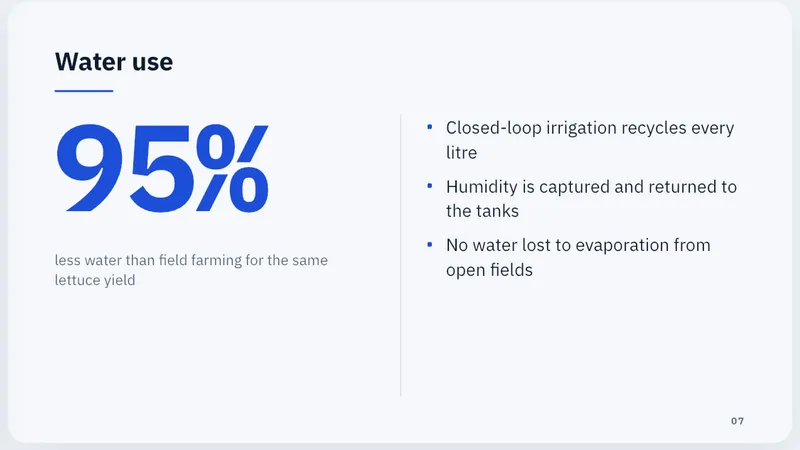
A single big number is often the strongest slide in the deck, as long as it is true and sourced. Put the number large, say in one line what it means, and add two or three supporting points underneath. Pilot results, letters of intent and repeat orders count. Invented projections do not.
7. A voice other than yours
A short quote from a customer, a partner or a pilot user. Name and role, not "a happy client". If you do not have one yet, skip this slide rather than fake it.
8. The plan
Where the money or the time goes, in three parts at most. Columns work well here: each column a stage, a site or a team, with one line on what it achieves.
9. The numbers
Costs, revenue, the timeline: the figures the audience will check. Round them, source them, and make sure they add up. This is the slide people photograph.
10. The ask
End on the decision you want, stated plainly: the amount, the approval, the next meeting. Then stop talking. Many pitches lose the room in the last minute by adding one more idea.
Before you present
- Read the titles alone, in order. If the ten titles tell the story on their own, the deck works. If not, fix the titles before the slides.
- Cut every slide you cannot defend in one sentence.
- Put the detail in your notes, not on the slide. The slide is for the audience; the notes are for you.
- Rehearse the first and last slide out loud. They are the ones people remember.
Doing it in Slide Forge
Type the idea as a sentence, choose the Professional style and around ten slides, and Kai plans the whole story before it writes a slide. Then hold the draft against the ten slides above and make it yours: tap any text to change it, turn the proof slide into a Big number layout, add your speaker notes, and check every figure. For a pitch you send rather than present, share a web link and see how far people read.
More from the blog

Running a live Q&A with polls
Polls and audience questions keep a room with you, if you plan them like part of the talk. How to write good poll questions and handle questions from the floor.
Turning a written report into a talk
A report is read; a talk is heard. How to find the story in a long document and cut it down to what an audience can take in.