
AI changes for a slide or the whole deck
Ask Kai to rewrite every slide in one go, or just the slide in front of you. Kai keeps every fact, number and name, and one Undo brings the old version back.


The whole deck
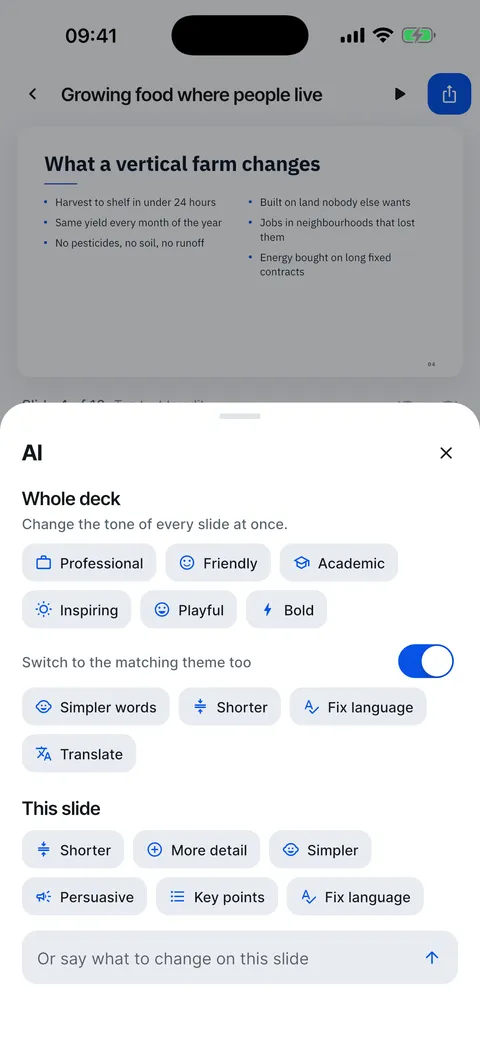
Six tones: Professional, Friendly, Academic, Inspiring, Playful and Bold, with the matching theme if you like. Plus Simpler words, Shorter, Fix language and Translate.


One slide
Shorter, More detail, Simpler, Persuasive, Key points or Fix language. Or write your own instruction, such as “add a line about costs”.
Fourteen languages
Translate a finished deck into English, Spanish, French, German, Italian, Japanese, Portuguese, Russian, Turkish, Kazakh, Ukrainian, Polish, Dutch or Hindi.

Change the tone of the whole deck
Rewrite every slide in another tone, with one Undo to go back.
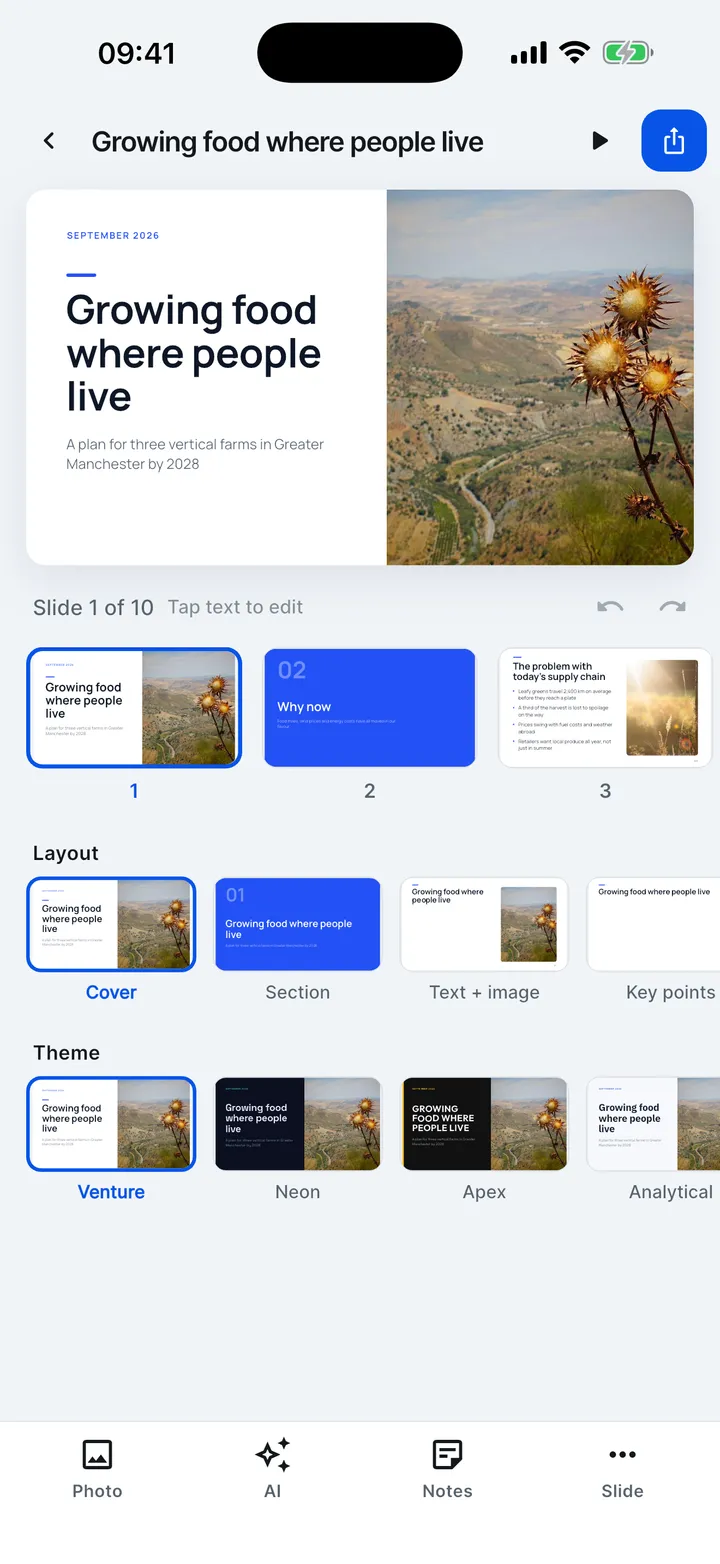
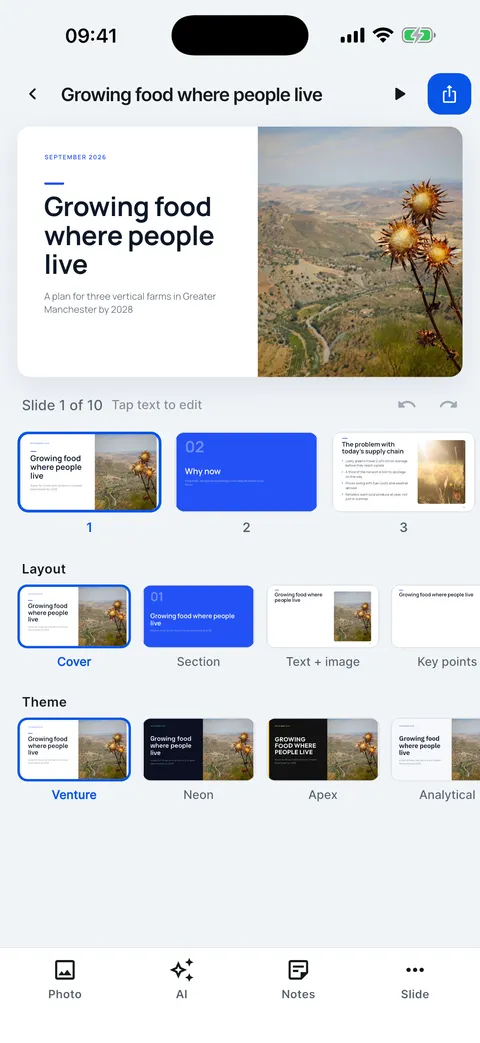
- In the editor, tap AI.
- Under Whole deck, pick a tone.
- Keep the matching theme switch on to change the theme with the tone.
- Simpler words, Shorter and Fix language work on the whole deck too.
- Or change just this slide, or say what to change.
Help for this feature
- Change the tone of the whole deckTap AI, then a tone under Whole deck: Professional, Friendly, Academic, Inspiring, Playful or Bold. Every slide is rewritten, and one Undo brings the old deck back.
- Rewrite one slide with AITap AI and use This slide: Shorter, More detail, Simpler, Persuasive, Key points or Fix language. Or type your own instruction.
- Translate a deckTap AI, then Translate, and pick a language. Every slide is translated, keeping its meaning, facts and structure, and the deck language changes with it.